
Everything you need
to get started
A screen-by-screen walkthrough of the Furrsati app — whether you're finding work or hiring talent.
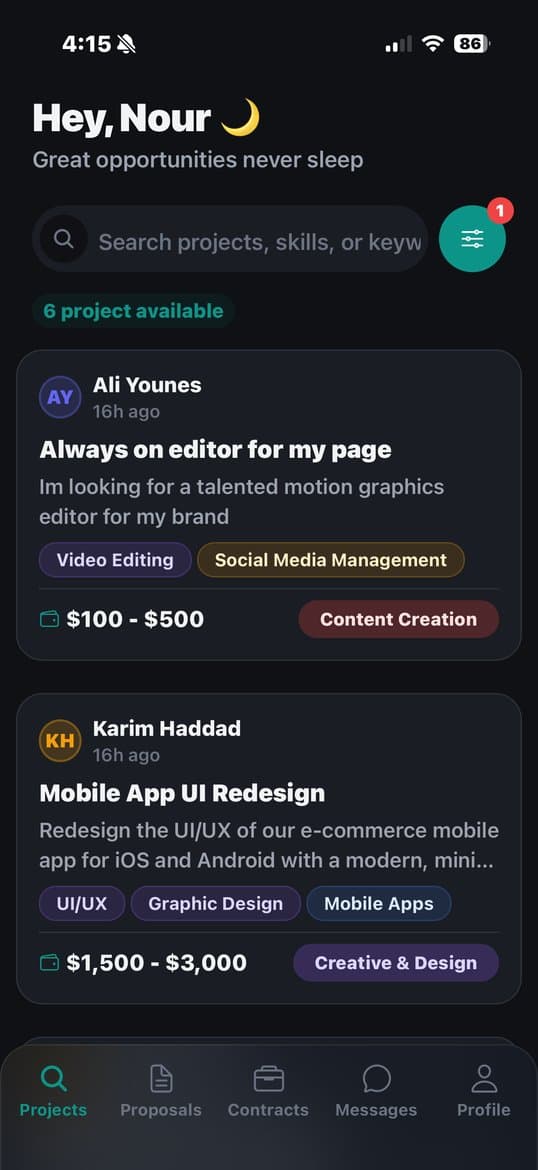
Browse Available Jobs
Your home screen shows every active job — with the budget right on the card.
Filter by skill, rate, or category to find your perfect match.
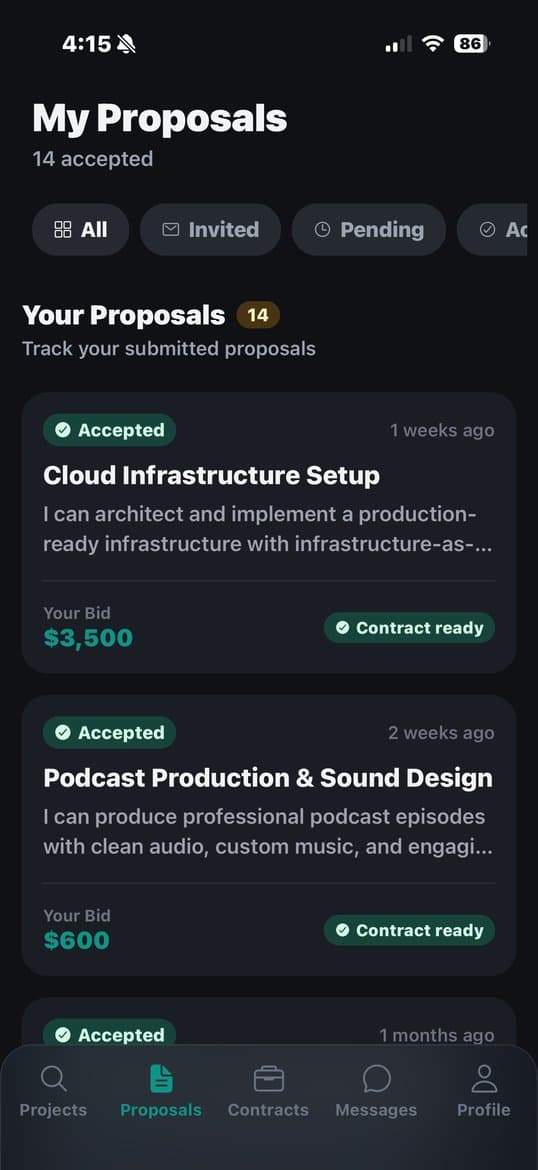
Track Your Proposals
See every pitch you've sent — filter by pending, accepted, or invited.
When a client says yes, you'll see "Contract ready" instantly.
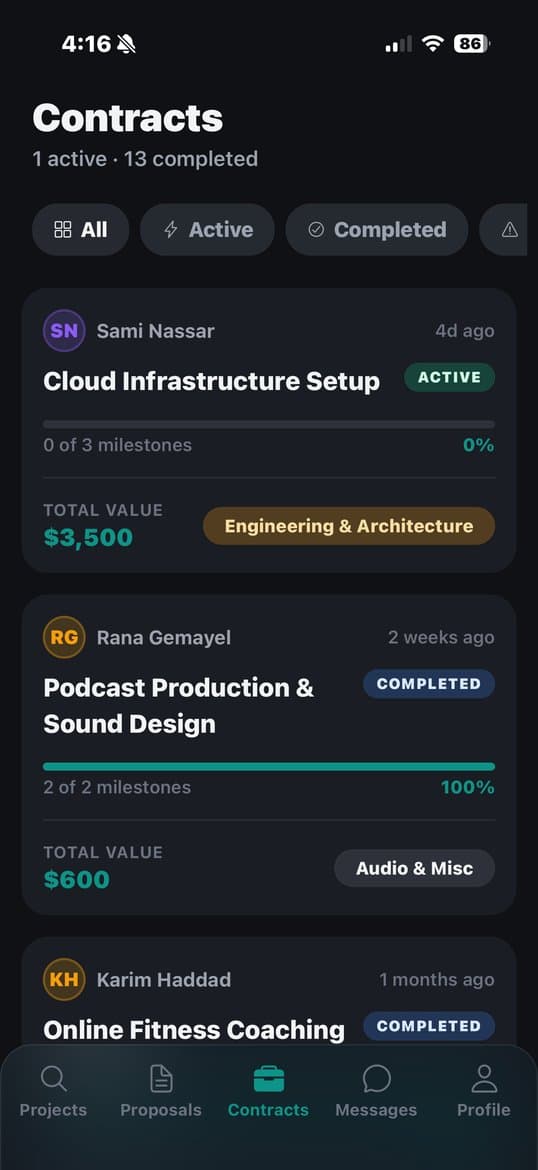
Manage Your Contracts
Watch your milestone progress bar fill as you deliver work.
Each contract shows total value, category, and your completion rate.
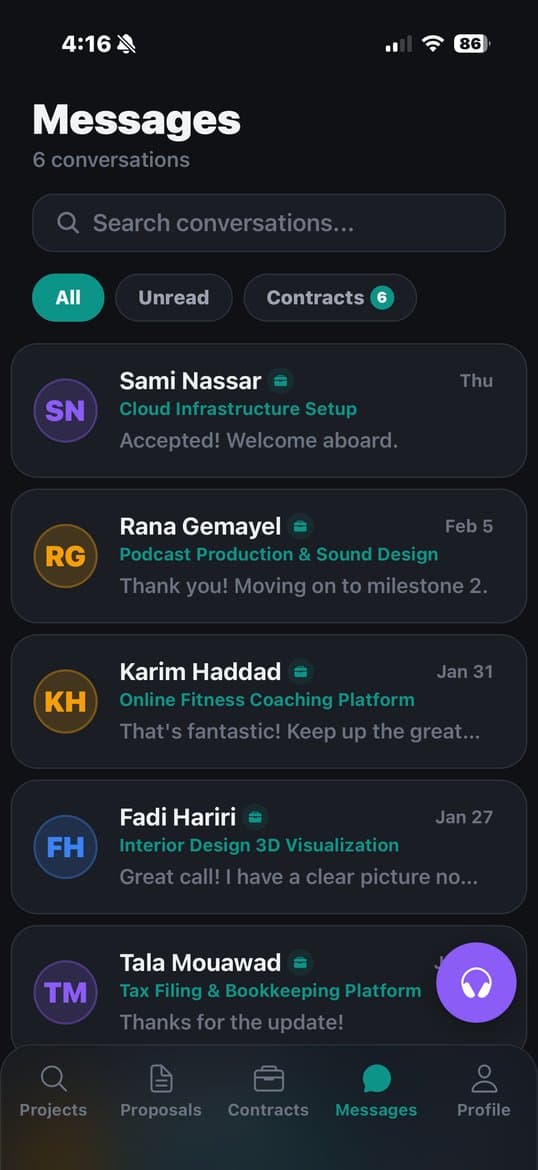
Built-In Messaging
Every conversation is linked to its contract — no more scattered threads.
Send files, voice notes, or text. Unread messages stay highlighted.
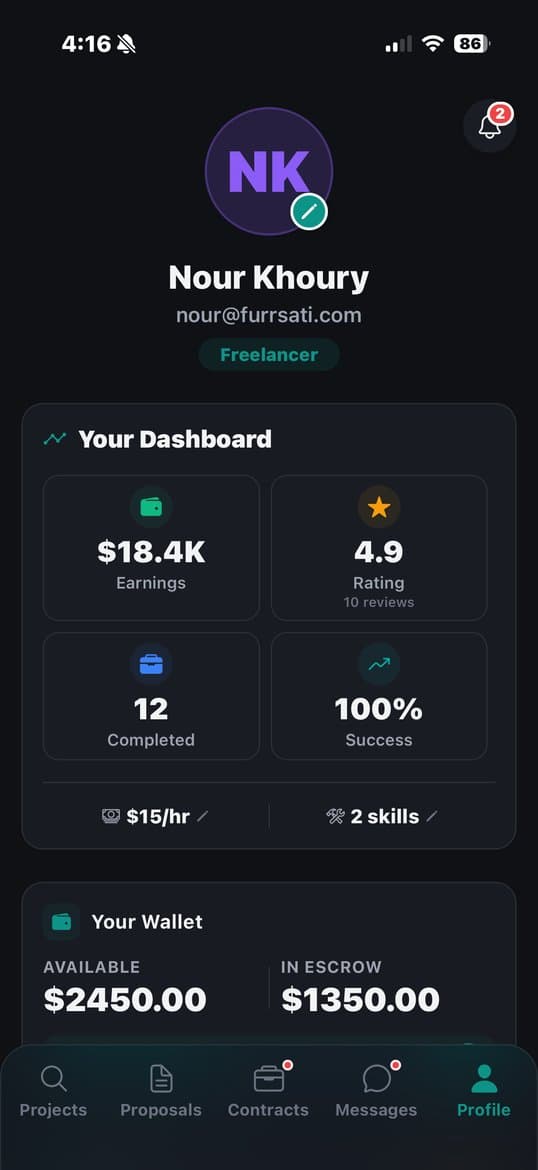
Your Profile & Wallet
See your total earnings, star rating, and success rate at a glance.
Withdraw anytime — bank transfer, OMT, Whish, or crypto.
Every payment is securely protected
When a client funds a milestone, the money is held securely — not released until the work is approved. Freelancers always get paid for work delivered. Clients only pay for results. And if something goes wrong, our team resolves disputes in 48 hours.
Ready to get started?
Download Furrsati and start working with Lebanese freelancers.