
How to Find Freelance Work on Furrsati: A Step-by-Step Guide
Getting started as a freelancer can feel overwhelming — especially when you're not sure where to look for work. Furrsati was built to make that process simple, transparent, and fair. Whether you're a designer, developer, writer, or marketer, here's exactly how to find work and land your first contract.
Step 1: Browse Open Projects
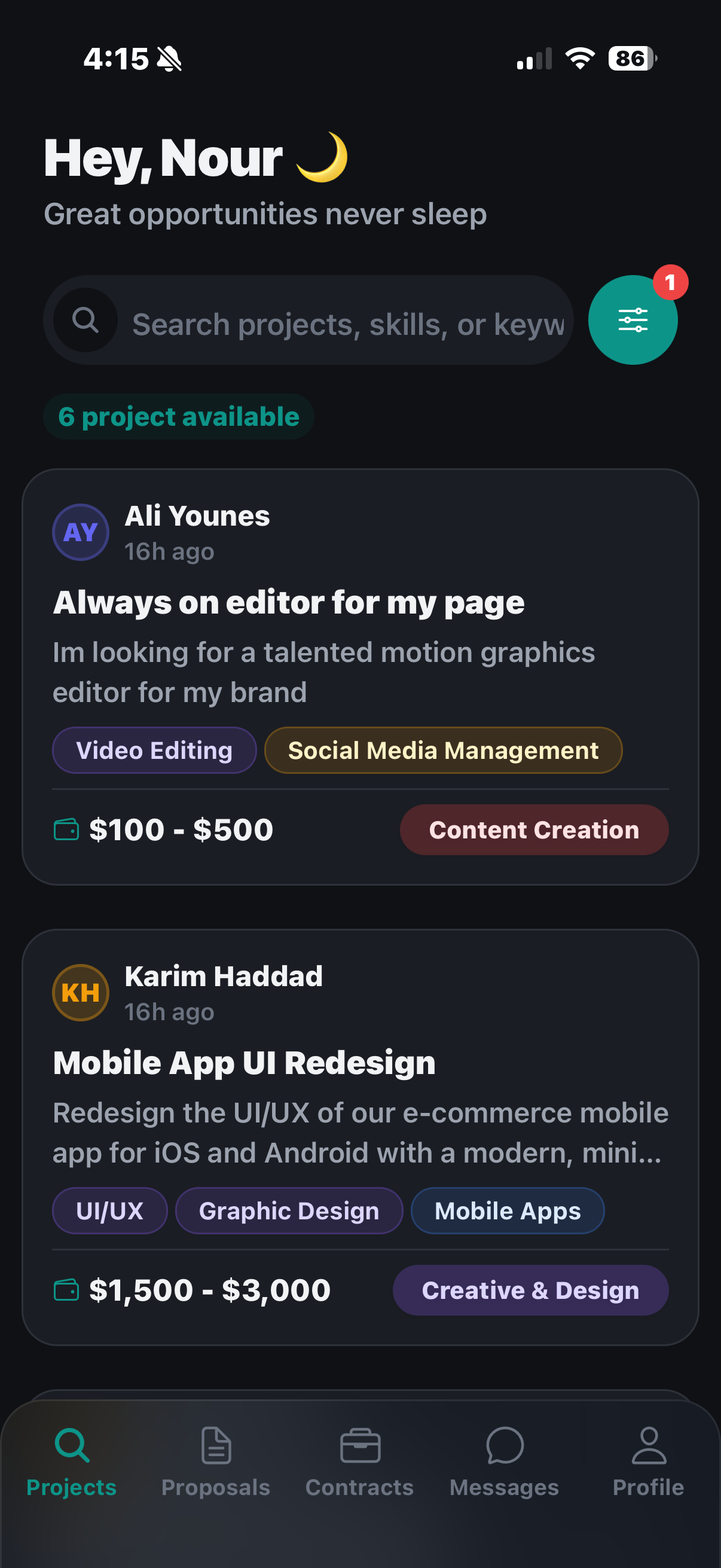
The moment you log in as a freelancer, you land on the Projects screen — your command center for finding work.
Each project card shows you:
- Client name and when it was posted
- Project title and description — enough to know if it's a good fit
- Skills required — so you can filter by what you're good at
- Budget range — so you never waste time on underpaying projects
Right now there are 6 projects available in the example above. Use the search bar to find projects by skill (e.g., "video editing", "UI/UX", "mobile apps") or browse by category.
Tip: The filter icon (top right) lets you narrow projects by budget, category, and posting date. Always set your filters before browsing — it saves time.
Step 2: Submit a Proposal
Found a project that fits? Tap on it to read the full details, then hit Submit Proposal. Write a focused pitch:
- What you'll deliver — be specific, not generic
- Your timeline — break it into milestones if needed
- Your price — justify it with your experience
Strong proposals are short and direct. Clients read dozens of them — stand out by showing you actually read the brief.
Step 3: Track Your Proposals
After submitting, head to the Proposals tab to track every pitch you've sent.
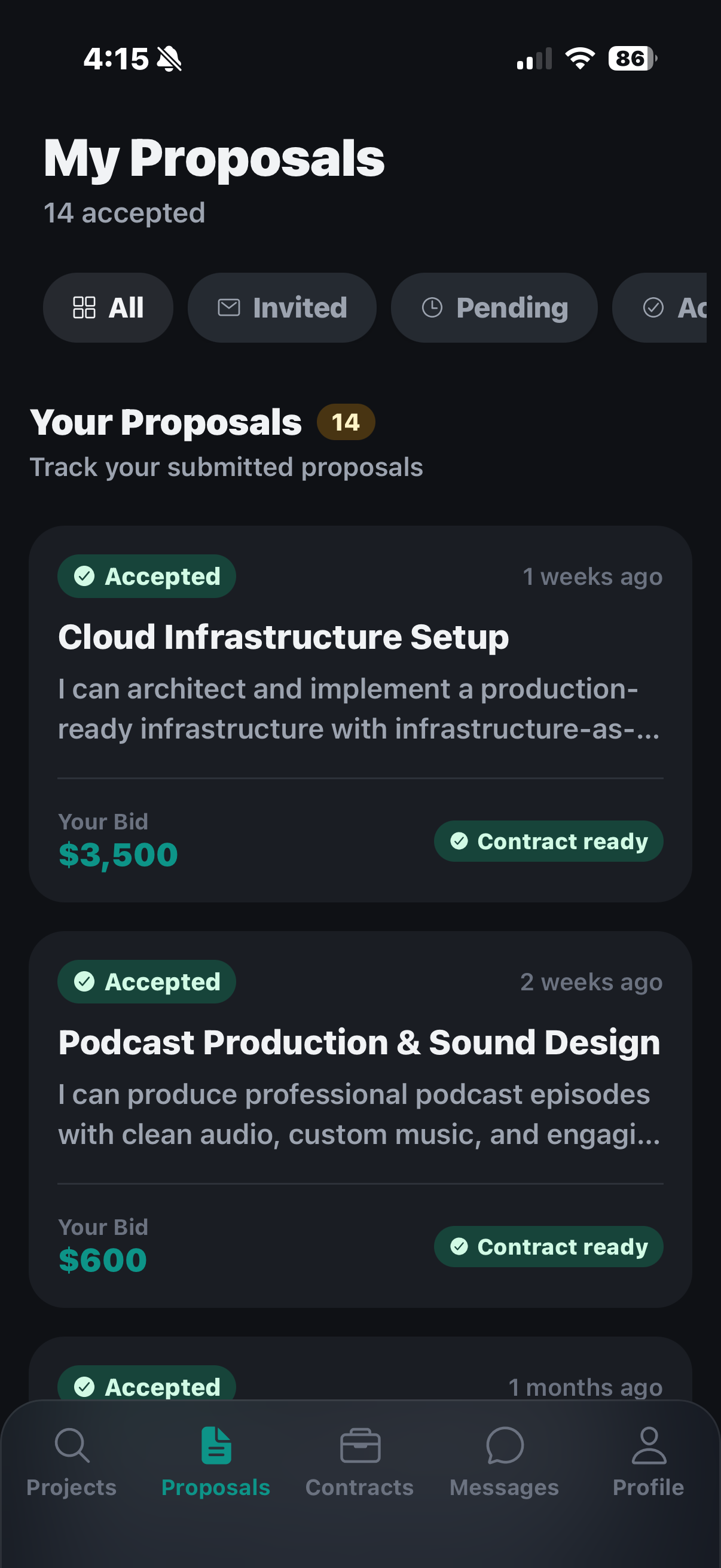
The proposals screen shows you:
- Status — Accepted, Pending, or Invited
- Your bid amount for each proposal
- "Contract ready" badge when a client has accepted your proposal
In the example above, 14 proposals have been accepted — and two show Contract ready, meaning the client is ready to move forward. Don't leave clients waiting: respond quickly when a contract is ready.
Step 4: Move Into a Contract
Once a client accepts your proposal, a Contract is created. This is where the real work begins. Head to the Contracts tab to see all your active and completed engagements.
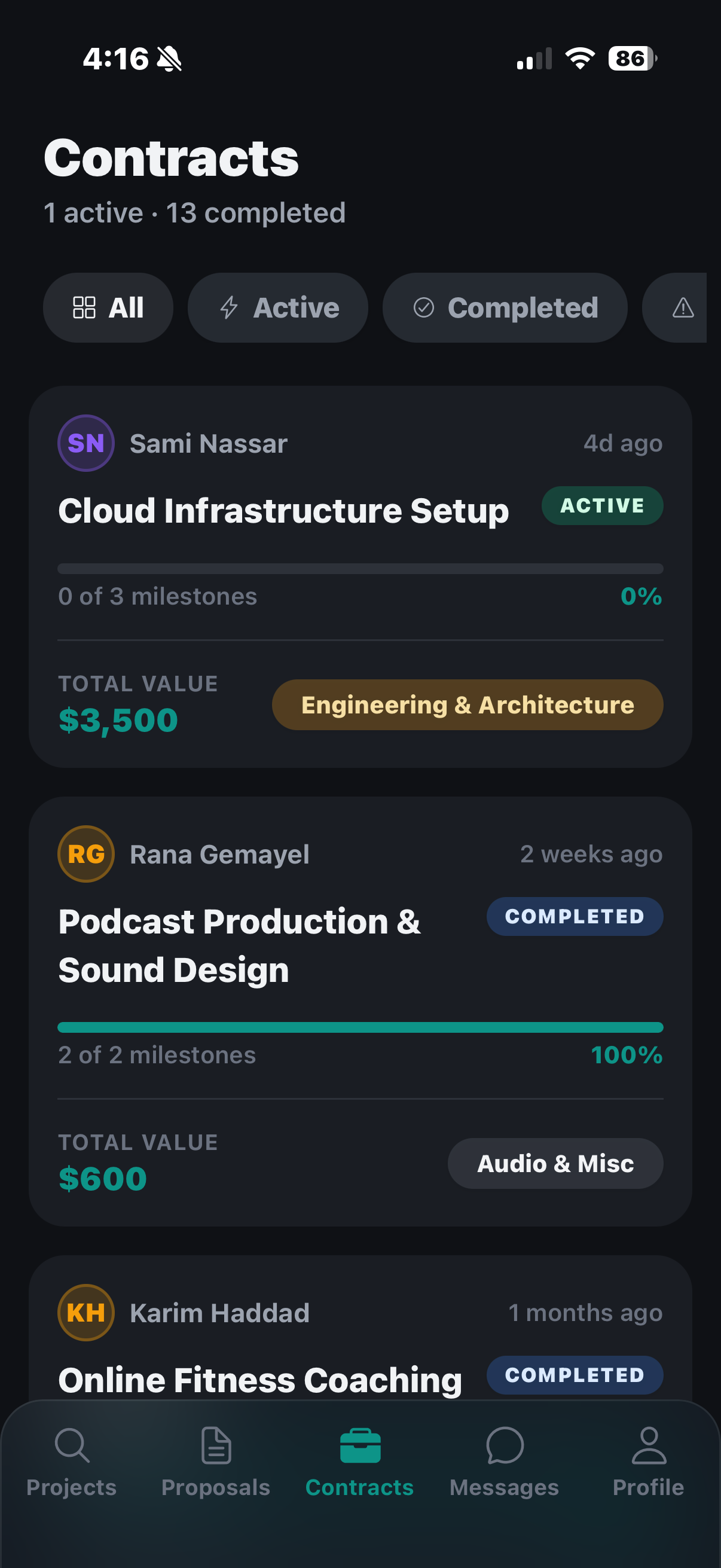
Each contract shows:
- Client name and project title
- Milestone progress (e.g., "0 of 3 milestones")
- Total contract value
- Category (Engineering & Architecture, Audio & Misc, etc.)
Contracts are milestone-based — clients fund each milestone before you start work, and the money sits in escrow until you deliver. This protects both sides.
Tips for Landing More Work
- Complete your profile — clients check ratings, skills, and hourly rates before shortlisting
- Start with competitive bids — build your reputation with early wins, then raise rates
- Respond fast — Furrsati shows clients how responsive you are
- Ask questions early — a quick message before submitting shows professionalism
- Deliver on time — your success rate appears on your public profile
Ready to start? Download Furrsati and create your freelancer profile today. Your next client is already waiting.
Related articles
Common First Proposal Mistakes for New Freelancers in Lebanon
The most common first proposal mistakes new freelancers in Lebanon make, and quick fixes to win your first job on Furrsati instead of getting ignored.
Getting StartedHow to Get Your First Freelance Gig in Lebanon
How to get your first freelance gig in Lebanon: a tactical playbook for winning project one with a short tailored proposal, smart pricing, and escrow safety.
Getting StartedHow to Write a Freelancer Bio in Lebanon
Learn how to write a freelancer bio in Lebanon that converts: lead with the client outcome, signal reliability, show your languages, and a fill-in template.
Remote WorkEssential Tools for Remote Freelancers in Lebanon
The lean toolkit of essential tools and apps for remote freelancers in Lebanon: communication, file-sharing, time tracking, and USD invoicing with payment workarounds.
HiringHiring Local vs Remote Freelancers in Lebanon
When should a Lebanese client hire a local freelancer vs a remote one? A practical guide on language, timezone, payouts and the type of work, for Lebanon.
Finding ClientsHow to Respond to Job Posts to Win the Work
Learn how to respond to job posts to win the work on Furrsati in Lebanon: reply fast, read the post properly, customize every reply, and ask trust-building questions.
Ready to Start Freelancing?
Join Furrsati today and connect with clients who pay on time, every time.
Get Started Free